Zopra/Charts
Guide
Getting startedAll chartsWhich chart to use?Domain specific
Base charts7
XY ChartTrendCandlestickHeatmapState TimelineFlame GraphBar Gauge
Derived charts73
Time SeriesHistogramStatus HistoryStatGaugeHoneyCombTracesNode GraphHeikin-AshiRenkoKagiPoint & FigureParetoIshikawaControl ChartBland-AltmanLollipopDumbbellSlopeBumpBack-to-BackWaterfallBulletFunnelMekkoForestBarcodeBeeswarmRidgelineHorizonSpectrogramAttention MapWaffleVennUpSetWarped WaffleWord CloudGanttSankeySankey MatrixTreemap ForceChord DiagramCircosArc DiagramAlluvialSankey FunnelDendrogramIcicleSunburstSpiderNightingale RoseParallel CoordinatesOscilloscopeEfficient FrontierPhase PortraitPoincaré MapBifurcationH-R DiagramRamachandranHarkerRoot LocusRadiation PatternQuiverHodographSmith ChartEye DiagramSequence LogoTernaryTernary ContourPiperStüveTephigramChoropleth

Getting started

Charts that make your mouth drool

80 charts, 867 runnable examples, zopra charts give you creative control over your data.

One minute

Install

Zopra Charts is a set of components for Zopra. Run this command below to use it in your project.

Terminal
cargo add zopra zopra-charts

Two minutes

Your first chart

A chart is a component. Write it in view! like any other tag, style it with class, and feed it from your own state. When the signal changes, the chart redraws.

src/dashboard.rs
use gpui_kit::*;
use zopra::hooks::use_signal;
use zopra::{component, view};
use zopra_charts::*;

#[derive(Clone, PartialEq)]
struct Reading {
    temperature: f64,
    load: f64,
}

#[component]
fn dashboard() {
    let readings = use_signal(vec![
        Reading { temperature: 18., load: 32. },
        Reading { temperature: 24., load: 51. },
        Reading { temperature: 31., load: 77. },
    ]);
    view! {
        <div class="flex flex-col gap-4">
            <XYChart data={readings} class="h-72">
                <Series name="Load" x={|r: &Reading| r.temperature} y={|r| r.load} />
            </XYChart>
            <BarGauge data={readings} value={|r: &Reading| r.load} class="h-16" />
        </div>
    }
}

Good to know

What every chart shares

Your data, your shape
Pass a Vec, a Signal> or anything that implements Dataset. Charts read your rows through small closures like x={|r| r.load}, so you never reshape data for the chart.
Hover, legends and tooltips
Hovering fades the rest and opens a tooltip. Clicking a legend entry hides that series and the chart re-scales. Every chart takes tooltip, legend and class.
Zoom and select
Wheel and pinch zoom the plots that have axes. Drag to select a range where it makes sense.
Theming
Charts read the colours of the active theme, so light, dark and your own palette all work without extra props.
Cheap to redraw
Layouts are cached and only recomputed when the data, the size, the hidden set or the theme changes. Hovering does not re-layout.

Orientation

How these docs work

There are 7 base charts, the ones everything else is built on, and 73 derived charts that can help you visualize your data.

Since there are a lot of charts, here are a few pages you should probably visit next:
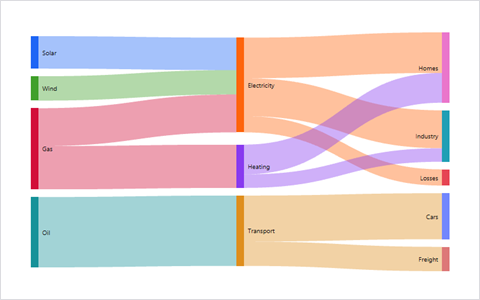
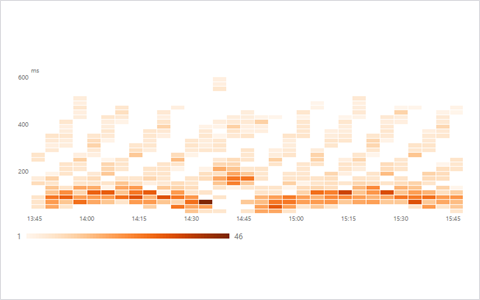
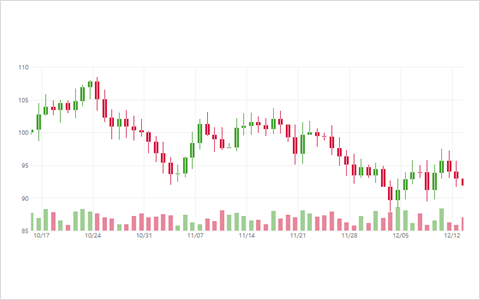
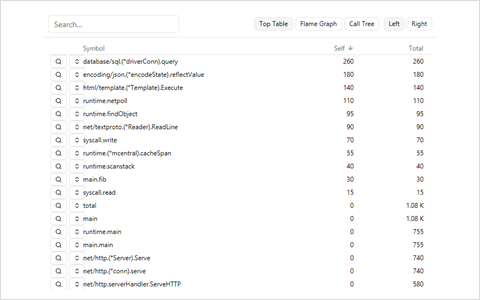
All chartsEvery chart as a picture. Filter by name or family.Which chart to use?Start from the question you want to answer.Domain specificFinance, electronics, biology, earth science and more.

Pick a door

Or just start with one of these

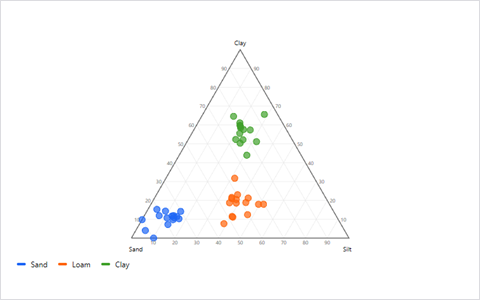
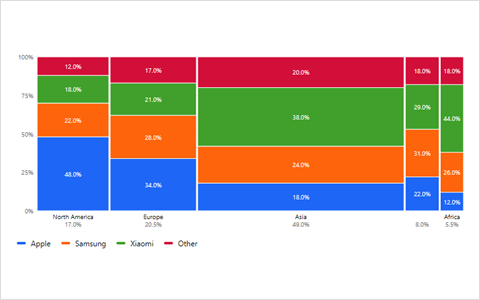
Mekko previewMekkoSankey previewSankeyHeatmap previewHeatmapCandlestick previewCandlestickFlame Graph previewFlame GraphTernary previewTernary